SignalSDR Graph
A downloadable console for Windows
SignalSDR Graph is a Windows desktop console (Godot 4.7) for listening to real public KiwiSDR antennas on HF (0–30 MHz), with an optional local RTL-SDR path via rtl_tcp.
It shows live audio and spectrum, helps you catch and save RF spikes, and keeps a clear line between what was MEASURED and what is only INFERRED. Mission-style UI, scientific discipline — not sci-fi mythology.
What it does (one sentence)
Connects to a KiwiSDR (or local RTL), streams audio + waterfall, and gives you a control deck to tune, watch, log anomalies, and optionally correlate events — while labeling guesses as guesses.
How Kiwi connection works (read this)
Public Kiwi hosts are live. The public directory list is gated for apps (“Click to show KiwiSDRs”), so desktop clients cannot download a full automatic list with a normal HTTP request. We do not spoof a browser.
Working flow:
Click OPEN MAP (opens rx-tx.info in your browser)
Pick a receiver
Copy hostname:8073 from the URL
Paste into KIWI HOST → CONNECT
Good hosts are saved to Favorites
Starter favorites are included; they may be busy (too_busy) or offline — paste a fresh host if needed. TRY LIST runs an honest check and tells you if the directory is still gated.
Data sources
KiwiSDR (default)
Two WebSockets to the chosen host:
SND — auth, tune/mode, ~12 kHz PCM audio
W/F — spectrum bins for the waterfall
Local RTL-SDR (optional)
Select RF SOURCE → Local RTL-SDR, run rtl_tcp (e.g. rtl_tcp -a 127.0.0.1 -p 1234), then tune in MHz (VHF/UHF presets such as NOAA APT).
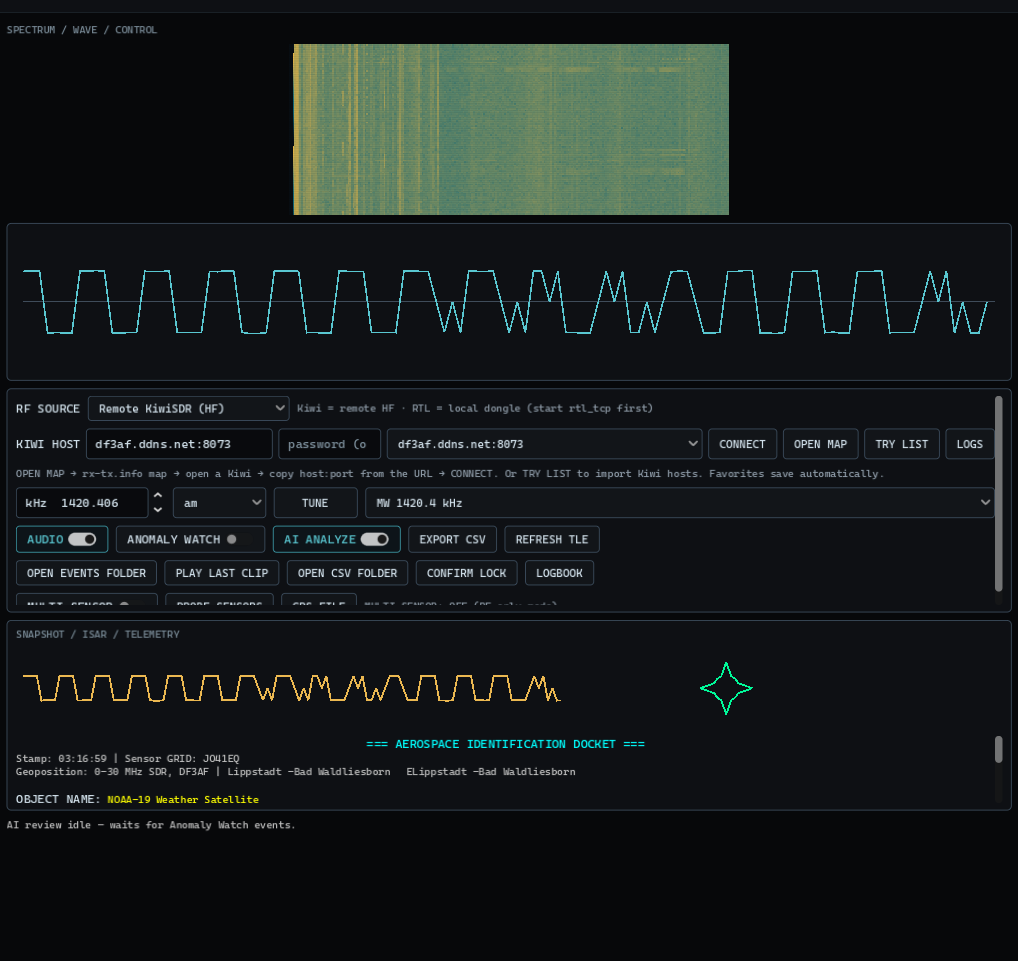
Waterfall: CPU writes intensity rows; a GPU shader scrolls/colors the display.
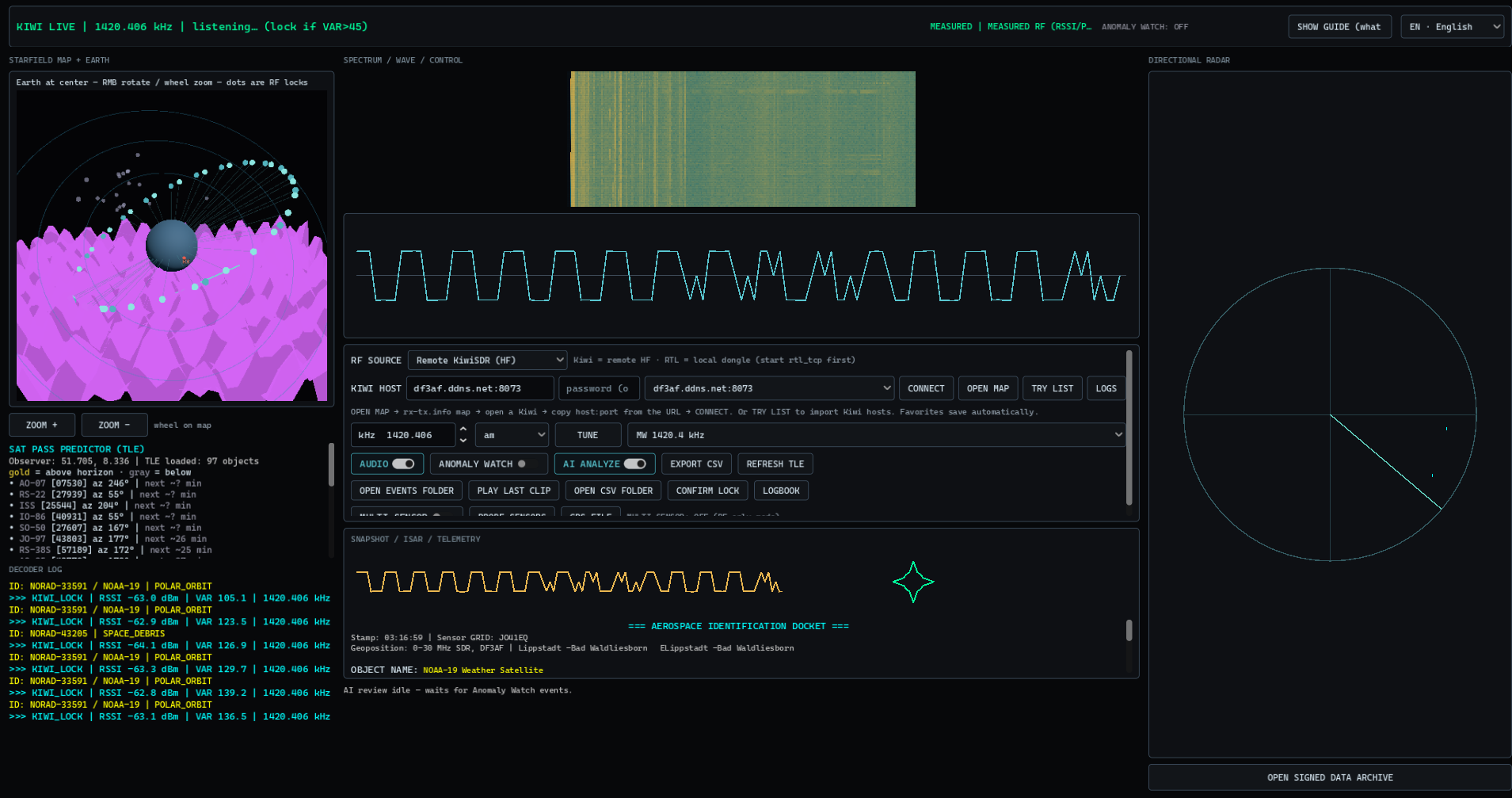
Interface (3 columns)
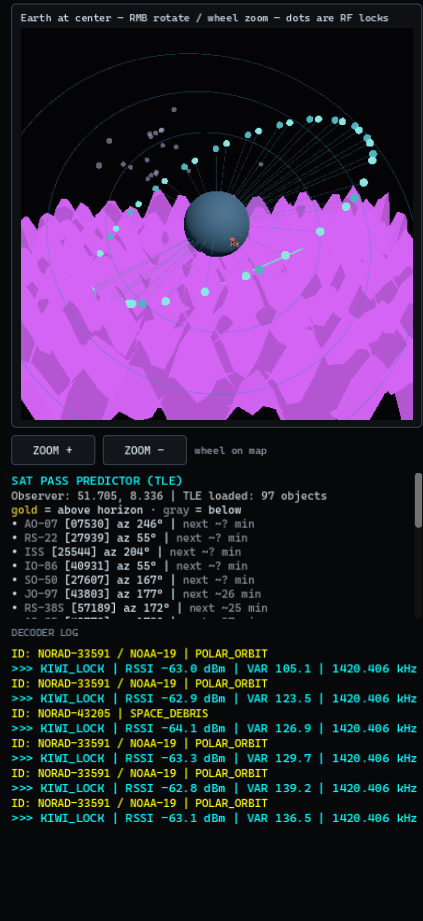
Left: 3D Earth / starfield (RF locks + TLE markers), pass panel, decoder log
Center: Waterfall → wave scope → control deck (freq/mode/tune, anomaly watch, AI, CSV, logbook, Kiwi host tools)
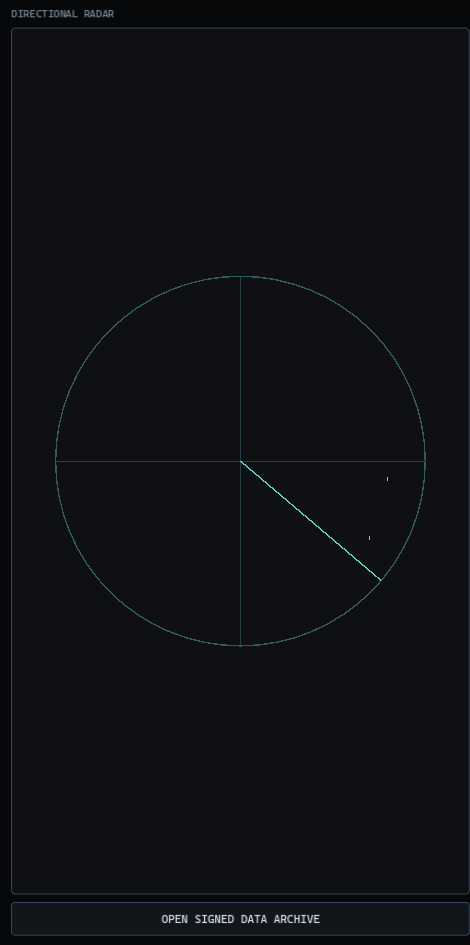
Right: Directional radar + archive
Top: Status, language, data-class badge (MEASURED / INFERRED)
Languages: EN / IT / FR / DE.
MEASURED vs INFERRED
MEASURED: RSSI, audio, waterfall, Kiwi name/grid/GPS from the antenna /status (when available).
INFERRED: Catalog suggestions and TLE pass context (approx). Useful for notes — not proof of an object type.
If something doesn’t match a known profile, it can be tagged as unclassified / unexplained RF for review. That means unidentified in our labels, not “aliens confirmed.”
Modules
Kiwi receiver — AM / USB / LSB / CW / NBFM, bookmarks, AudioStreamGenerator playback
Optional RTL-SDR — via rtl_tcp, AM/NBFM demod, VHF-oriented bookmarks
TLE overlay — Celestrak fetch + simplified pass estimates vs observer location (Kiwi GPS or local)
Anomaly Watch — on ΔRSSI / variance thresholds, saves event packs under user://anomalies/ (WAV / waterfall PNG / meta; cooldown)
Multi-sensor (optional) — OFF by default. When ON, may attach camera / UTC / operator GPS (user://operator_location.txt) if available; missing sensors still keep the RF pack
AI review (optional) — local heuristics always; remote Hugging Face only if you add a token file
Mission logbook — only locks you confirm are stored in user://mission_logbook.json
What it is NOT
Not a military radar, GRAVES clone, or UFO hunter
Not automatic “find debris on HF”
Not magic without network (Kiwi) or without rtl_tcp (local dongle)
TLE/catalog = context overlay, not operational aerospace tracking
First run
Launch and wait for BOOT CHECK
If not live: OPEN MAP → paste host:8073 → CONNECT
Pick a bookmark or frequency → TUNE → enable AUDIO
Use the in-app Guide if you’re unsure what you’re hearing
Optional: enable ANOMALY WATCH to capture spikes
Requirements: Windows 10/11 x64, outbound network (Kiwi WebSocket + HTTPS for TLE), audio output.
Data: favorites, CSV, and anomaly files stay local in user:// (open via LOGS).
Built by NextDev — feedback welcome when it’s about the work, not the mythology.
Download
Click download now to get access to the following files:
Development log
- 1.0.8.2 — HF presets & silent-link hint6 days ago
- 1.0.8.1 — Clearer cold start when a Kiwi is busy7 days ago
- new trailer10 days ago
- 1.0.8 — Stable TLE overlay & Kiwi password10 days ago
- Update 1.0.7.010 days ago
- Update 1.0.6.011 days ago
- Update 1.0.5.011 days ago
- 1.0.4.0 — Fix UI jitter11 days ago
Leave a comment
Log in with itch.io to leave a comment.